
Download Everlaw – Cloud‑Based eDiscovery, AI‑Powered Litigation Software
Overview
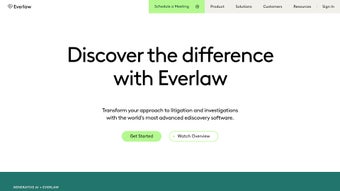
Everlaw is a cloud‑based eDiscovery platform that redefines how legal professionals manage litigation and investigations. Built with a strong focus on user experience, Everlaw delivers a secure, scalable environment where lawyers, corporate counsel, and government agencies can ingest massive data sets, apply advanced analytics, and collaborate in real time. The solution’s AI Assistant and machine‑learning driven analytics enable rapid early case assessment, intelligent document review, and precise trial preparation—all from a single, browser‑accessible interface.
Because the platform lives in the cloud, updates roll out automatically, ensuring that users always have access to the latest features without disruptive installations. Everlaw also emphasizes data privacy, offering robust encryption, role‑based permissions, and compliance with industry standards such as GDPR and CCPA. Whether you are handling a multi‑year antitrust investigation or a fast‑moving securities case, Everlaw provides the flexibility and power needed to turn complex legal data into actionable insight.
In addition to its core eDiscovery capabilities, Everlaw integrates seamlessly with leading case management systems, allowing teams to maintain a single source of truth across the entire litigation lifecycle. The platform’s intuitive design reduces onboarding time, while its powerful analytics empower senior attorneys to make data‑driven strategic decisions faster than ever before. By combining cutting‑edge AI, a highly secure cloud infrastructure, and a user‑centric workflow, Everlaw positions itself as a next‑generation solution for modern law firms seeking efficiency, accuracy, and compliance in every stage of the litigation process.
Key Features and Benefits
Everlaw’s feature set is purpose‑built for legal teams that need speed, accuracy, and security. Each capability is designed to address a specific pain point in the eDiscovery workflow, from data ingestion to trial presentation. Below you will find a detailed breakdown of the most impactful features, followed by a concise list of the platform’s primary advantages.
- AI Assistant & Predictive Coding: Leverages machine learning to automatically tag relevant documents, reducing manual review time by up to 60 % while maintaining high precision.
- Rapid Document Upload & Processing: Supports bulk uploads of terabytes of data with parallel processing, accelerating ingestion and minimizing bottlenecks.
- Advanced Analytics Dashboard: Interactive visualizations, keyword clustering, and concept searching help users uncover hidden patterns quickly and confidently.
- Early Case Assessment (ECA) Tools: Built‑in case timelines, data snapshots, and risk scoring enable teams to evaluate case merits within hours, not days.
- Collaborative Review Workspace: Real‑time commenting, tagging, and task assignment keep distributed teams synchronized and reduce miscommunication.
- Secure Cloud Architecture: End‑to‑end encryption, audit logs, and multi‑factor authentication protect sensitive legal data at every stage.
- Trial Preparation Suite: Exportable exhibit builders, mock trial simulations, and searchable presentation decks streamline courtroom readiness.
- Frequent Automatic Updates: New features and security patches are deployed without downtime, ensuring compliance and performance.
- Integration Capabilities: APIs and connectors for popular case management systems, email archives, and document repositories enable seamless data flow.
- Granular Permission Controls: Role‑based access and custom workflow rules safeguard privileged information and support strict governance policies.
Benefits Overview
- Accelerated review cycles translate into lower billable hours and faster case resolution.
- AI‑driven insights provide a strategic edge by highlighting high‑value documents early.
- Cloud‑only delivery eliminates the need for on‑premises hardware, reducing IT overhead.
- Robust security framework ensures compliance with global data‑privacy regulations.
- Scalable infrastructure accommodates any data volume, from small matters to enterprise‑level investigations.
- Intuitive UI reduces training costs and shortens the learning curve for new users.
Installation, Usage, and Compatibility
Everlaw’s cloud‑native architecture makes onboarding remarkably straightforward. Because there is no client‑side software to install, the process focuses on account setup, workspace configuration, and data ingestion. Follow the detailed steps below to get up and running, and review the compatibility guidelines to ensure optimal performance across devices.
Step‑by‑Step Installation & Onboarding
- Create Your Account: Visit the Everlaw homepage, click “Start Free Trial,” and complete the registration form. An activation email with a secure link will guide you through password creation and two‑factor authentication setup.
- Configure Your Workspace: The “Create New Matter” wizard walks you through defining case parameters, assigning team members, and setting permission levels. You’ll also specify custodians, data sources, and retention policies during this phase.
- Upload Your Data: Use the drag‑and‑drop interface for small batches, or launch the bulk‑upload utility for terabytes of information. Everlaw automatically hashes each file, validates formats, and begins parallel processing in the cloud.
- Activate the AI Assistant: Once the initial upload completes, toggle the AI Assistant on. The engine scans content, generates predictive coding models, and suggests tags based on reviewer behavior, continually refining its accuracy.
- Begin Document Review: Navigate to the “Review” tab where documents appear in a customizable grid. Leverage filters, concept search, and the “Smart Sort” feature to prioritize high‑value items. Real‑time collaboration tools let you add comments, assign tasks, and track progress across the team.
- Explore Analytics: Open the “Analytics” dashboard to visualize data trends. Use timeline filters, keyword heat maps, and sentiment analysis to uncover insights that may shape your litigation strategy.
- Prepare for Trial: When review concludes, switch to the “Trial” module. Build exhibit sets, generate export packages, and rehearse presentations using the built‑in mock trial environment.
- Maintain Ongoing Security: Everlaw logs every user action for auditability. Periodically review the “Activity Log” to ensure compliance with internal policies and external regulations.
System Compatibility & Requirements
Because Everlaw runs entirely in a web browser, it is compatible with virtually any modern operating system that supports up‑to‑date browsers. The recommended environments are:
- Windows 10 or later: Google Chrome, Microsoft Edge, or Mozilla Firefox (latest versions).
- macOS 11 (Big Sur) or later: Apple Safari, Chrome, or Firefox.
- Linux distributions: Ubuntu 20.04+, Fedora 33+, or similar, using Chrome or Firefox.
- Mobile Access: iOS 13+ (Safari, Chrome) and Android 9+ (Chrome) for read‑only review and commenting. Full‑feature editing is optimized for desktop browsers.
The platform’s cloud compute model means local hardware requirements are minimal. A stable internet connection with at least 5 Mbps download/upload speeds is recommended for smooth document preview and real‑time collaboration. For large data uploads, a wired Ethernet connection or high‑speed Wi‑Fi (802.11ac or newer) will reduce latency. Everlaw adheres to industry‑standard security protocols, including TLS 1.2+ encryption, SOC 2 Type II compliance, and ISO 27001 certification, ensuring that your data remains protected both in transit and at rest.
Frequently Asked Questions
Is Everlaw a cloud‑only solution or does it offer on‑premises deployment?
Everlaw is designed as a cloud‑native platform, which means all processing, storage, and collaboration happen in the secure Everlaw data centers. There is currently no on‑premises version, allowing users to benefit from automatic updates, limitless scalability, and reduced IT overhead while maintaining enterprise‑grade security.
How does the AI Assistant improve document review?
The AI Assistant applies machine‑learning models to automatically tag and rank documents based on relevance. It learns from reviewer behavior, continuously refining its predictions, which can reduce manual review time by up to 60 % while maintaining a high level of accuracy and defensibility in court.
What security certifications does Everlaw hold?
Everlaw complies with SOC 2 Type II, ISO 27001, GDPR, and CCPA. All data is encrypted in transit with TLS 1.2+ and at rest using AES‑256 encryption. Role‑based access controls, multi‑factor authentication, and detailed audit logs further protect privileged information throughout the eDiscovery lifecycle.
Can I integrate Everlaw with my existing case management system?
Yes. Everlaw offers a robust API and pre‑built connectors for popular case management platforms such as Relativity, OpenText, and iCONECT. These integrations enable seamless data transfer, synchronized workflows, and a unified user experience across the entire litigation ecosystem.
What pricing models are available for Everlaw?
Everlaw provides subscription‑based pricing, typically billed annually per user. Tiered plans accommodate small firms, mid‑size practices, and large enterprises. Custom quotes are available for organizations with unique data volumes, compliance requirements, or specific integration needs.
Is there a free trial or demo available?
Everlaw offers a risk‑free 14‑day trial that includes full access to all core features, AI Assistant, and analytics tools. Prospective customers can also schedule a live demo with a product specialist to see the platform in action and discuss specific use‑case scenarios.
How does Everlaw handle large data uploads and processing speed?
Everlaw utilizes parallel cloud processing and elastic compute resources to ingest and process terabytes of data efficiently. The platform automatically shards large files, applies hash verification, and distributes workload across multiple nodes, ensuring rapid ingestion without sacrificing data integrity.
Conclusion & Call to Action
Everlaw has set a new benchmark for cloud‑based eDiscovery by blending AI‑driven analytics, a secure architecture, and an exceptionally intuitive interface. Legal teams that adopt Everlaw can expect faster case assessments, reduced review costs, and stronger data protection—all essential advantages in today’s competitive litigation landscape. If you are ready to transform your litigation workflow, download Everlaw today and experience a free trial that showcases how quickly you can move from data overload to strategic insight.
Everlaw stands out in the crowded eDiscovery market thanks to its AI‑driven workflow, secure cloud infrastructure, and user‑centric design. While the price point may be a barrier for very small practices, the efficiency gains and risk mitigation it delivers make it a worthwhile investment for most legal teams.



.png)



